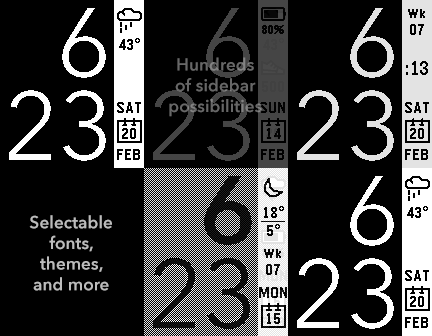
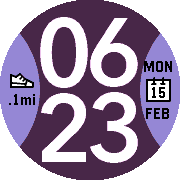
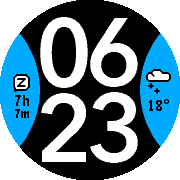
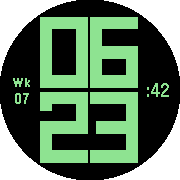
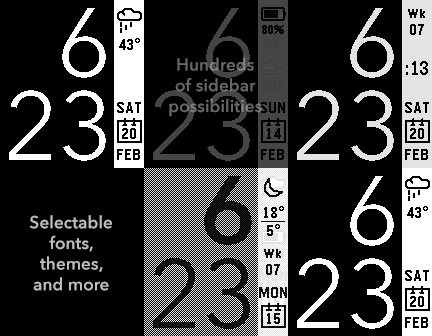
TimeStyle by Freakified
 There’s another cool watchface on the Rebble App Store!
Go check it out in the App Store!
There’s another cool watchface on the Rebble App Store!
Go check it out in the App Store!
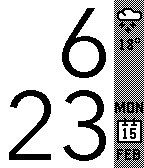
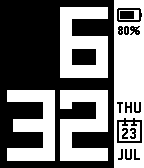
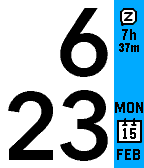
 Aplite screenshots:
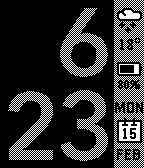
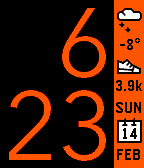
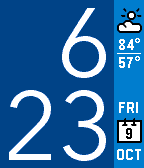
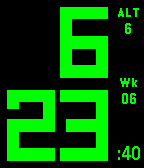
 Basalt screenshots:
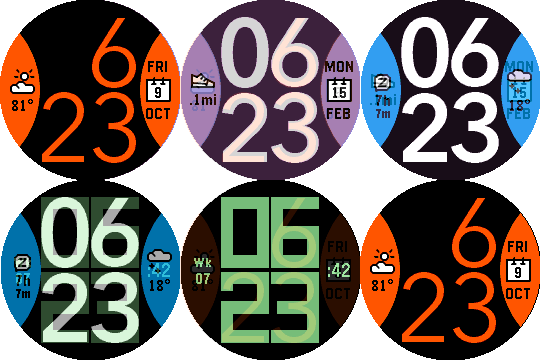
 Chalk screenshots:
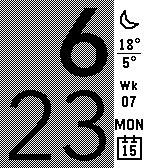
 Diorite screenshots:
 Emery screenshots:
 Update alert!
Freakified just released version 7.8 of TimeStyle!
V 7.8 “Higher DPI”
- [Improvement] Redesigned font size modes for the Pebble Time 2 and Round 2; the era of defaulting to tiny fonts is over!
- [Improvement] Now supports the Pebble Round 2!
 Update alert!
Freakified just released version 7.9 of TimeStyle!
V 7.9 “Oh no I forgot to test the config page”
- [Fix] Pebble 2 Duo no longer shows color config page
- [Fix] Pebble Round 2 now properly shows round watch config page
 Update alert!
Freakified just released version 7.10 of TimeStyle!
V 7.10 “Apparently large fonts require more space”
- [Fix] Monday is no longer shown as “M…” when large fonts are enabled on Time 2
- [Change] Sidebar is now slightly wider on Time 2 when large fonts are enabled
- [Change] Sidebar now uses bold large font for the Time 2
@freakified Hey I love TimeStyle and used to rock almost all the time (lol) on my PTS. But I moved to a PTR and waiting for a PR2 and I find im using it less. My fav thing was how the side bar could mirror the timeline ribbon on square/rectangle devices but it doesn’t look the same on the round one. Would it be ok to make a feature request and consider mirroring the same view as on on square screen for the round, with the limitation in only 2 icons not to make it bloated?
Glad you’re enjoying it (on the PTS at least!) I’m always open to suggestions related to the round appearance; I was never entirely satisfied with it.
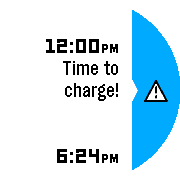
For your idea specifically, I actually considered this when initially designing the Round version! But, the problem is, the real round timeline only shows one icon, centered:
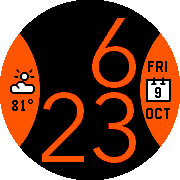
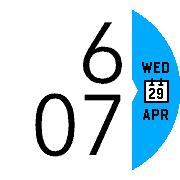
So, for TimeStyle, if we position the sidebar widget in the exact same way as the real timeline, we get this:
I actually kind of like that look, but the problem is there isn’t really enough room for even 2 widgets at that size! I might be open to adding this as an option though. 
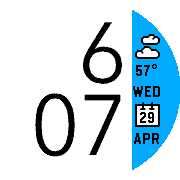
In theory, if we remove the left padding and the little arrow graphic, it becomes possible to squeeze two widgets in, but I’m less enthusiastic about the look:
It feels kind of cramped to me, and also it’s sufficiently different enough from the real timeline appearance that I’m not sure if it solves the original problem.
 Update alert!
Freakified just released version 7.11 of TimeStyle!
v7.11
- [Fix] Swatch Internet Time is no longer off by one hour for users in DST time zones
Update alert! Freakified just released version 7.11.1 of TimeStyle!
v7.11.1
- Increase width of the sidebar on Time 2 when large fonts are selected, to better fit date widget
 Update alert!
Freakified just released version 7.11.2 of TimeStyle!
7.11.2
- Fix an issue where weather would continue to update even if no weather widgets were selected (thanks Mugendon for the report!)
Update alert! Freakified just released version 8.0.0 of TimeStyle!
Release Notes:
v8.0 - “It’s been 3,000 years”
- [New feature] Bottom bar; any widget can now be displayed inline beneath the time! Perfect for LONG widgets!
- [New feature] Mini status indication at the top of the screen! Shows when the watch is in quiet time mode or disconnected…or all the time, if you prefer!
- [New feature] New design for round watches that looks significantly less like a tennis ball! (Classic appearance still available!) Put your Pebble Round 2 screen to use with more widgets!
- [New feature] Serif font option for the time! For those days when you need to be slightly fancier than usual
- [New feature] Lightweight LECO font option for the time!
- [New feature] Option for a wider sidebar, allowing you to fit wider widgets in there
- [Improvement] Improved appearance and metrics for large font mode
- [Improvement] Forget about the 3 widget limit, the sidebar can now accommodate as many widgets as you can fit!
- To take advantage of the new space, lots of new widget options!
- Next alarm widget: see when your next alarm is! Ffor all the alarm clock fans out there!
- Next sunrise/sunset widget! Your favorite feature from Halcyon!
- Today’s rain chance! Do you need an umbrella today? Probably!
- Calories and Distance widgets! Is Pebble’s calculation of this really accurate? Now you can find out!
- Two true world time widgets replace the classic “alternate timezone” offset-based widget! Pick from any of 300+ timezones, with automatic daylight savings time calculation!
- [Improvement] Modernized settings page UX, with live-updating theme-aware previews, widget presets, and more!
- [Improvement] Automatically selects language at startup using selected OS language
Update alert! Freakified just released version 8.1.0 of TimeStyle!
Version 8.1: “Reading the comments”
- [New feature] AM/PM widget! For the 12 hour time fans out there
- [Returning feature] Battery meter percentage option is now back! YOU can decide whether or not you want to show the percentage
- [New feature] Option to show or hide the percent sign in the battery meter widget
- [New feature] It is now possible to control which parts of the date widget are shown
- [Improvement] Date widget now auto-compacts on the bottom bar, also
- [Improvement] Improved color contrast calculation; text color selection should better reflect how the colors actually look on the pebble screen
- [Improvement] On the settings page, widget options are now closer to the widget selector to make them easier to find