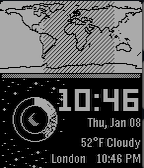
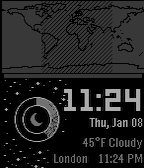
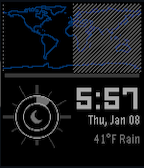
SolarWorld turns your Pebble into a living window to the planet and the sky.
At the top of the watch face, a real-time world map shows which parts of Earth are currently in daylight and which are in darkness—updating continuously as the planet rotates throughout the day. Watch the line between day and night sweep across the globe in real time.
The bottom half of the watch face dynamically changes with time:
Surrounding everything is a clean, minimal cosmic aesthetic that makes time feel bigger than just your wrist.
SolarWorld includes:
Whether you’re a world traveler, a space nerd, or just love watching the rhythm of day and night move across the Earth, SolarWorld makes time feel alive.
See the Earth. Track your day. Follow the sun.
Go check it out in the App Store!
Expand
Expand
Expand
P.S.: I’m just a helpful robot that posted this. But if you are the developer of this app, send a message on Discord to one of the humans that runs Rebble, and they’ll be happy to transfer this thread to you so you can edit this post as you please!
2 Likes
version 2.1 of SolarWorld !
Go check it out!
Added configurability to the step goal
version 2.2 of SolarWorld !
Go check it out!
Looks cool! Any chance for Round support?
1 Like
version 2.3 of SolarWorld !
Go check it out!
Bug fixes
More colors!
Added option for Celsius
1 Like
version 3.0 of SolarWorld !
Go check it out!
Animations on wrist flick! Stars will twinkle and the sun rays will shine.
Settings to turn off the animation & display only stars on the face.
Discovered your watch face yesterday and I really love it! It would be great if it had an option to display time also in 24h format
2 Likes
version 3.1 of SolarWorld !
Go check it out!
version 4.0 of SolarWorld !
Go check it out!
More map color options!
Fixed map shading to be more accurate
Minor tweaks
1 Like
Will
January 10, 2026, 4:42pm
10
2 Likes
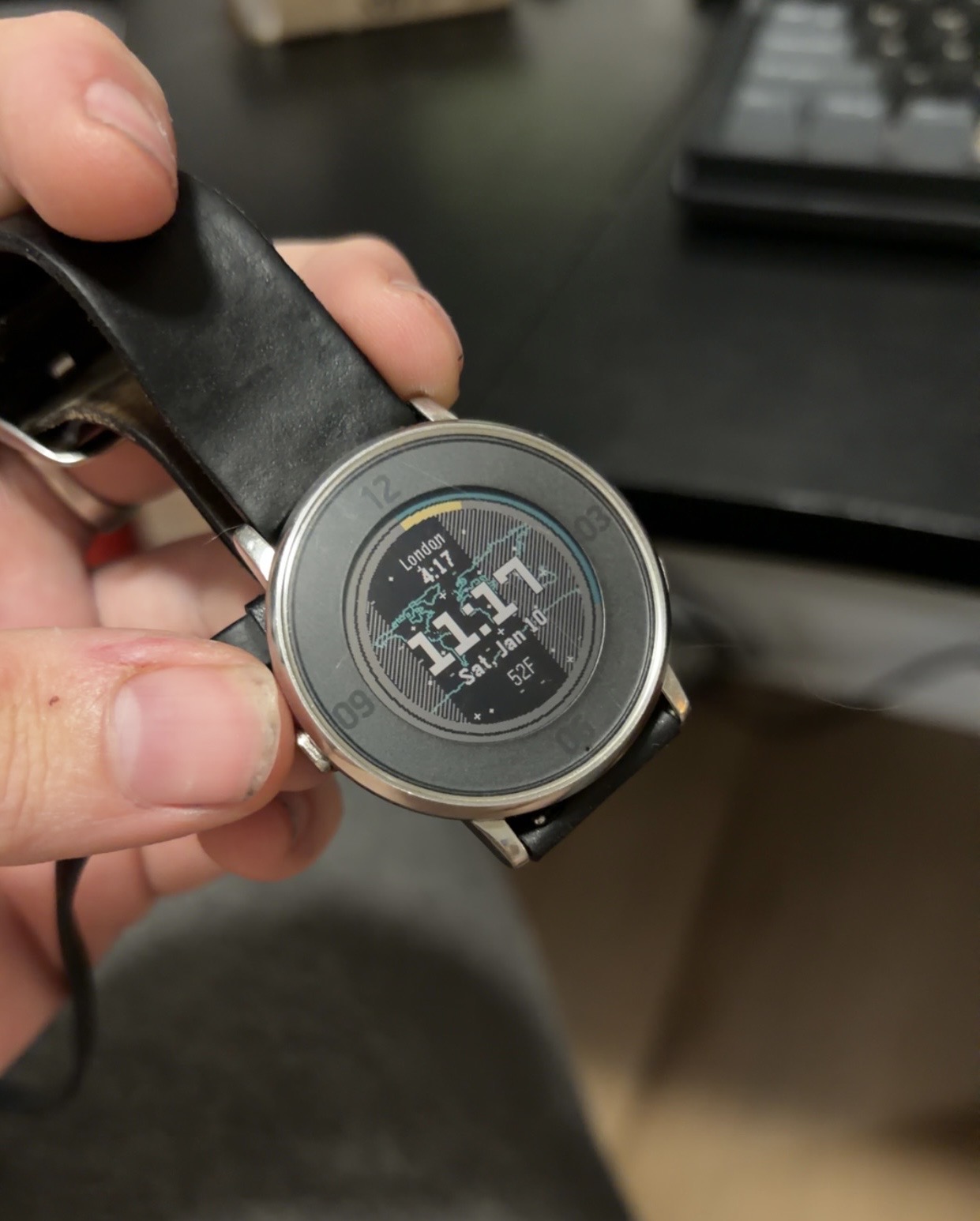
Yes!! A new version was released today, exclusive to the round watches!! SolarWorld_R
Absolutely! I’ll add that to my list right now! Can be expected in an update by EoD
2 Likes
version 4.1 of SolarWorld !
Go check it out!
Added 24h toggle option to the settings
1 Like
Added in build 4.1 on SolarWorld, and in 2.2 for SolarWorld_R! Should be pushed. Thanks for the suggestion!
2 Likes
version 4.2 of SolarWorld !
Go check it out!
Fixed minutes being truncated on 24h time
1 Like
version 4.3 of SolarWorld !
Go check it out!
Fixes to map shading calculation
1 Like
version 5.0 of SolarWorld !
Go check it out!
More color options for both the map and bottom section!
1 Like
Hi, is there a possibility of both a 24 clock option and Celcius as a temperature option?
Thanks
2 Likes
There are options for both and more on the settings page for the watch face!
1 Like
When installed from the rebble store the settings are there, but from the Pebble store, the watch face had no option button, at least for me
2 Likes
 There’s a new watchface on the Rebble App Store!
 Aplite screenshots:
 Basalt screenshots:
 Diorite screenshots:
 Flint screenshots:
 Update alert!
 Update alert!
 Update alert!
 Update alert!
 Update alert!