Rota Minute by clach04
 There’s another cool watchface on the Rebble App Store!
Go check it out in the App Store!
There’s another cool watchface on the Rebble App Store!
Go check it out in the App Store!
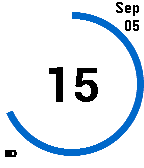
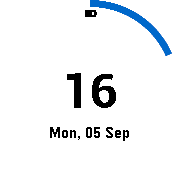
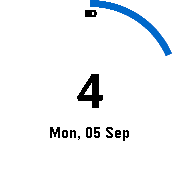
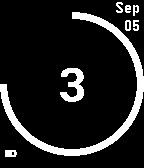
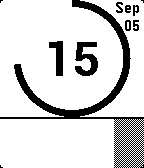
 Basalt screenshots:
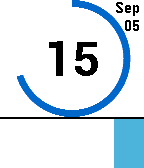
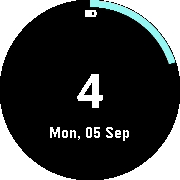
 Chalk screenshots:
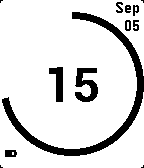
 Aplite screenshots:
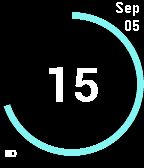
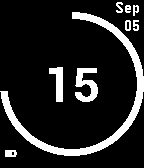
 Diorite screenshots:
Feature request. Would be great if the color of the arc changed when Quiet Time is enabled. Either the color red or a selectable color. Also, when I activated “Display hour as text”, the hour 9 did not change to Nine, but instead displayed the minutes number.
 Update alert!
 clach04 just released version 1.7 of Rota Minute!
- Quiet Time icon notification
- Pebble Time 2 / Emery support
NOTE curve for Emery is smoother compared with previous version with full screen scale BUT:
- Number (Hour) is smaller
- Arc width is also smaller
Color change for quiet time is an interesting idea, but potentially inconsistent with Bluetooth disconnect notification so this isn’t something I want to work on (I don’t love the UX).
It’s appropriate to fork and alter the code so it’s a build option so both could exist (unless there is a clean way to make it a runtime option, I would only consider accepting as a run time option if the code change was clean and low impact).
About 10 years ago, at my suggestion, SetPebble modified their Big Watch watchface so that when Quiet Time was enabled, the Date at the top changed to QUIET TIME, and when you lost Bluetooth, the Date changed to DISCONNECTED. Unfortunately, last month an update removed that feature. Fortunately, the developer of Pebble Mesh took my suggestion by adding a setting so that the watchface Color is inverted when in Quiet Time. Now when I awake from my daily nap I remember to disable Quiet Time. I am 75 years old and can’t see tiny icons on a watchface.
Rota Minute is built using a framework that had text support for both Bluetooth Disconnects and Quiet Time. It’s a couple of #defines to change from icon to text, and to select the font.
Out of the box the font defaults to small, it’s a one line code change to change it, with another one line for position change. It’s not a runtime option though.
I notified SetPebble on this forum of, what I consider to be two bugs in Big Watch 6.0
 Update alert!
 clach04 just released version 1.8 of Rota Minute!
- Switched from icon/graphic to text/numbers for battery levels
- Added phone battery display in bottom right corner (potentially Android only?)
- Emery / PT2 battery font is larger than for Aplite/Basalt
Bug report for v1.8. On my Pebble Time it displays battery percentage on bottom left and also bottom right. Also, can you please make the number for battery percentage darker?
That’s the primary feature of 1.8 - see the changelog Rota Minute
RE the color, that’s under your control. I suspect you changed it from the default Black (that’s the darkest color option for all Pebble models)?
 Update alert!
 clach04 just released version 1.9 of Rota Minute!
Increase arc width on Emery
Bug report for v1.9.0. On my Pebble Time with Android phone, it displays battery percentage on bottom left and also bottom right. Also, can you please make the number for battery percentage darker?
@Den_in_USA Den_in_USA did you see my previous reply to you with that previous report?
Yes, read all of your replies. In the v1.9.0 setup, I have Background color set for White, Foreground for Black and Arc for medium blue. After taking my PT off the charger, there was a gray 100 at the bottom, left and a gray 100 at the bottom, right. Seven hours later, the 100 at the bottom, right then changed to 97% which must be battery. However, there is still a 100 at the bottom, left. I Hope this explanation helps.
The only color code present for the battery is red for less than 20% and green when actively charging. The old pre P2D’s only do things in 10% gradients, so it’s not surprising the watch is still on 100 a while later but the phone battery granularity is 1% so other than the odd color (which I’ve not seen) this sounds like normal behavior, I’m guessing you have a Pebble Time. The only other thing I can think of would be degraded pixels?