Screenshots (pick your platform):
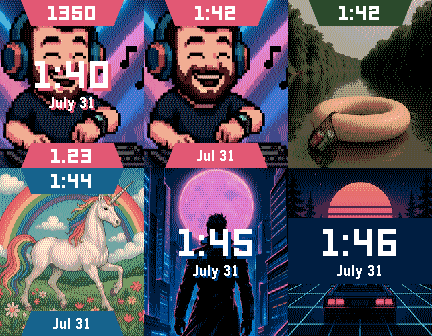
⌚ Pebble Time / Time Steel / Time 2
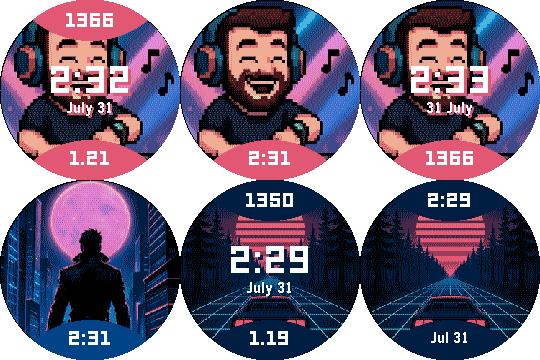
⌚ Pebble Time Round / Round 2
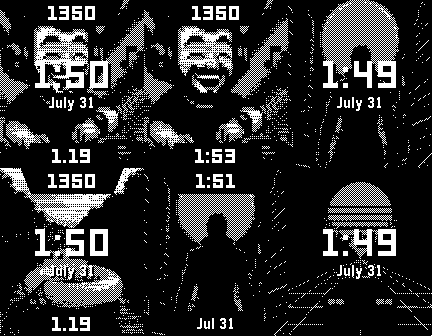
⌚ Pebble 2 / Pebble 2 HR / Pebble 2 Duo (diorite/flint)
Get the companion app here: Music Time Watch Face Companion | Reboot's Ramblings | The home of Music Boss
Music Time is a vibrant watch face that lets you enjoy your music - even when you’re not listening. It adapts its colours to match your album art, and displays the current album art and your Pebble Health stats.
 Fully Customizable
• Customize the Top, Middle and Bottom information sections - choose what information appears and where
• Configure the large Middle block position (Top, Center, or Bottom)
• Set each section’s visibility behavior: Always, On Wrist Flick, or Never
• Display Pebble Health data including steps, distance, sleep, and active time
• Toggle between Metric and Imperial units
• Change date format
• Enable text shadow or background styling for improved readability
 Album Art Display (Premium)
Show the current album art right on your watch face. Keep enjoying your music visuals - even when the music stops.
 Pebble Health Integration (FREE/Premium)
Assign time, date, steps, distance, active time and sleep to four distinct zones of the watch face.
 Dynamic Color Theme
Adapts your watch face to match the current album art color.
 Wrist Flick to Reveal Info
Hidden info such as time/date and health stats can be shown always or temporarily on wrist flick.
 FREE MODE
When first installed, the app starts in free mode, sending sample album art to the watch when you change songs and displays your real Pebble Health stats.
 Automatic App Detection
Automatically detects which media app you’re using and captures its album art (Premium).
 PREMIUM UNLOCK OPTIONS
Premium is unlocked by either:
• Purchasing the Music Time lifetime unlock
OR
• Being subscribed to the Music Boss Deluxe Ongoing Support subscription (app automatically unlocks, requires Music Boss Deluxe installed with an active Ongoing Supporter subscription).
Premium unlocks:
• Sending album art from your music/media to the watch face
 Watch Companion App Support
Compatible with the new Core Pebble app (2025), the original Pebble App/Rebble, and microPebble.
 Pebble Watch Compatibility
Compatible with:
• Pebble Time
• Pebble Time Steel
• Pebble Time Round
• Pebble Time 2
• Pebble Round 2
• Pebble 2 / Pebble 2 HR
• Pebble 2 Duo
 Update alert!
 Reboot’s Ramblings just released version 5.1 of Music Time!
 Optimizations and bug fixes
 Free mode now allows you to customize the watch face and uses your real Pebble Health data. Use it for as long as you’d like!
 Update alert!
 NEW Customization Option: Added an option to move the middle (Time/Date) section to the top or bottom of the screen to unobstruct the background image further.