Screenshots (pick your platform):
⌚ Pebble Time / Time Steel / Time 2
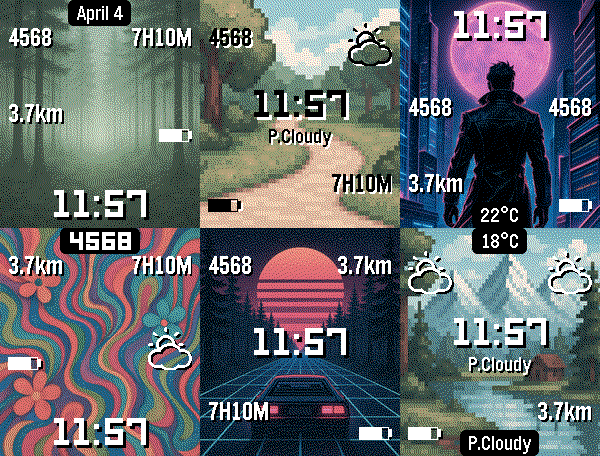
⌚ Pebble Time Round / Round 2
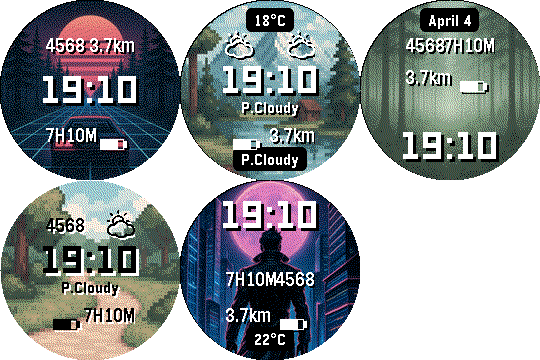
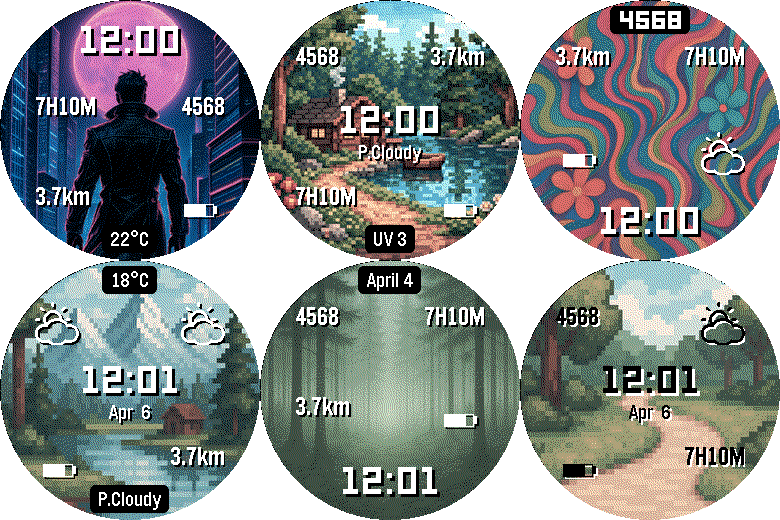
⌚ Pebble 2 / Pebble 2 HR / Pebble 2 Duo (diorite/flint)
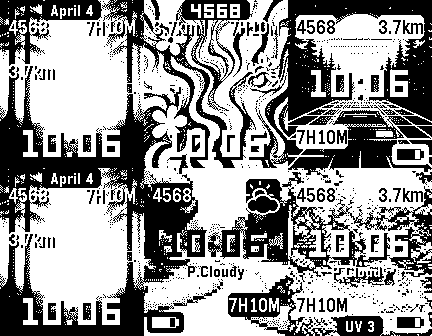
Get it here: https://play.google.com/store/apps/details?id=ca.rebootsramblings.faceboss
Bring your Pebble watch to life, with your photos featured in a super customizable watch face!
 All-New Watch Face Design
Features a completely revamped watch face - cleaner, more flexible, and more customizable than ever.
 Corner Complications
Assign information or icons to all 4 corners of your watch face for an at-a-glance view of what matters most to you.
 8 Independent Info Slots
Choose from dozens of display options and configure each of the 8 information slots completely independently. Put exactly what you want, where you want it.
 Weather Data
Live weather right on your wrist: current temperature, feels-like, humidity, wind, UV index, precipitation, sunrise/sunset times, and more.
 Battery at a Glance
Monitor your phone battery, watch battery, and connected Bluetooth device (ex: headphones) battery all from your watch face.
 Fully Customizable
• Customize the Top, Middle and Bottom information sections: choose what information appears and where
• Set each section’s visibility behavior: Always, On Wrist Flick, or Never
• Display Pebble Health data including steps, distance, sleep, and active time
• Toggle between Metric and Imperial units
• Change date format
• Enable text shadow or background styling for improved readability
 Multi-Language Support
The watch face supports the same languages as Pebble OS (I will be working on translating the companion app over time)
 Automatic Image Rotation
Set the perfect interval for rotating photos. Choose sequential, random order, or no rotation (stay on one image).
 Shake-to-Refresh on the Watch
Shake your Pebble to instantly request a new image and reset the rotation timer.
 Give it a try
When installing Face Boss, all customizations and information display options are available with the included sample images. Please enjoy it for as long as you’d like!
 Premium Features (Unlock Required)
To manage (drag-and-drop editor), send, reorder and use your own photos you can choose one of the unlock options:
• One time permanent unlock, or
• Ongoing Support in the Music Boss Deluxe app (a small monthly tip jar that unlocks all my apps) (musicboss.ca/ongoingsupport for details)
 Watch Compatibility
Works with Pebble Time, Pebble Time Steel, Pebble Time Round, Pebble 2, Pebble 2 Duo, Pebble Time 2, and Pebble Round 2.
 Companion App Compatibility
Face Boss works with the major Pebble companion apps, including:
• Core Pebble App
• Classic Pebble App / Rebble
• microPebble
• Any companion app that supports PebbleKit-Android (Classic)
 Update alert!
 Reboot’s Ramblings just released version 1.8 of Face Boss!
 Now sends watch version to companion app for version check.
 Fixed watch face disabling gesture actions when user disabled “shake for new image” (still want to reveal hidden info on wrist shake).
 Update alert!
 Added a new setting to Enable/Disable gesture actions (separated from the Shake for new image setting which was incorrectly disabling gestures).
 Update alert!
 Adds a bunch of new customization combinations!
 Improved the companion app customization screen to make it more intuitive (please update companion app).
 Pebble Time 2 and Pebble Round 2 support
 Dozens of information display options

 Thanks to new Core Pebble app for calling out per second wakeup which the face didn’t need anyways!
 Update alert!
 Add, remove, reorder & freely place layers
 Style every elements - font, colour, size, rotation & shadow
 ALL-CAPS + multi-line text
 BIG display fonts for the clock (Orbitron, Bebas, Doto & more)
 Analog faces: 9 hand styles + hour markers
 Dozens of code-drawn shapes - rings, arcs, stars & more
 Your own photos as a rotating background
 Now-playing info + live album art, gallery & online fetch
 Notifications - latest message and/or unread count from chosen apps
 Next calendar event +
  custom text
 Weather overhaul - day/night icons + today’s & tomorrow’s forecast
 Health - steps, distance, sleep, active time & heart rate
 Backgrounds - solid colour, darken image, timed appear/disappear
 Wrist-flick reveal for timed elements
 Image quality - full colour down to crisp 1-bit duotone
 Sharper images + instant preview
 Try everything free for 3 days
 Repositioned the Bluetooth-disconnected icon — its default spot now sits neatly in the corner, out of the way of your time and date.
 New Quiet Time icon — your watch face now shows an icon while Quiet Time is on.
 Move either icon anywhere, or turn it on/off, from the Layout tab in the Face Boss companion (version 3.0.30+)