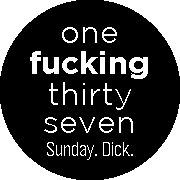
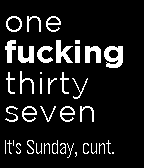
Drunk O’ Clock by Lignite
 There’s another cool watchface on the Rebble App Store!
Go check it out in the App Store!
There’s another cool watchface on the Rebble App Store!
Go check it out in the App Store!
 Chalk screenshots:
 Aplite screenshots:
 Basalt screenshots:
 Diorite screenshots:
 Update alert!
 Lignite just released version 4.2 of Drunk O’ Clock!
- Add detection of PebbleOS bug where persistent storage of watchface gets wiped
- Replace trial ended ‘error’ screen with screen describing this as a PebbleOS bug and a link to Lignite.io/e420 with instructions on how to report this bug and fix your watchface
- Fix settings not loading on legacy iOS Pebble app
Update alert! Lignite just released version 4.3 of Drunk O’ Clock!
- Add full support for Pebble Time 2
 Update alert!
 Lignite just released version 4.4 of Drunk O’ Clock!
The “Buttery Smooth Settings” update!
- Add support for automatic restoration of settings when reinstalling the watchface
- Fix settings sometimes being lost on the settings page
- Fix reset settings button not working in some cases
- Improve detection of Pebble persistent storage being wiped and attempt to automatically restore all storage from phone app backup silently
- Improve watchface persistent-storage related error handling, in rare cases where it cannot be silently restored
- Improve settings page error handling when settings can’t be restored from mobile app
- Improve speed of live settings updates
- Remove need to set which Pebble mobile app you are using before being able to use settings
 Update alert!
 Lignite just released version 4.5 of Drunk O’ Clock!
- Add support for timeline peek
- Fix colour settings sometimes not syncing to settings page correctly
- Fix settings page occasionally crashing
 Update alert!
 Lignite just released version 4.6.0 of Drunk O’ Clock!
- Add support for Pebble Round 2
- Update some weather condition strings to be clearer
Update alert! Lignite just released version 4.6.1 of Drunk O’ Clock!
- Always print “Wednesday” as “Wed” in bottom slot to ensure that swear words can fit
- Fix condition saying “sun & clouds” when it is nighttime
- Fix Bluetooth disconnect alert not having parity with settings page
- Fix vibrating on factory reset when Quiet Time is enabled
- Fix showing expired weather data before watch has synced time with mobile app