vibe2orient by Ralph Baddour
 There’s a new watchapp on the Rebble App Store!
Go check it out in the App Store!
There’s a new watchapp on the Rebble App Store!
Go check it out in the App Store!
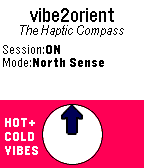
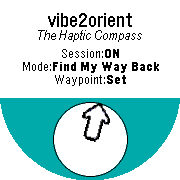
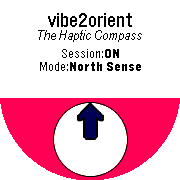
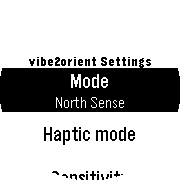
 Aplite screenshots:
 Basalt screenshots:
 Chalk screenshots:
 Emery screenshots:
 Flint screenshots:
Such a cool app! I think the newer watches are having a compass built it as well, right?
Thanks! I built it for myself as much as for others; I literally just used it after being dropped off by an Uber in an unfamiliar area with no reference points. Quite handy.
RE: Compass — All the Pebble models, old and new, have a compass… Except for, and very curiously, the specific “Pebble 2” model.
Interesting! Didn’t knew that. at least for the North sense it might sense to be independent from the phone.
And yeah, the apps that you build for yourself are the best. Same reasoning behind my Abfahrt! app 
Hi! I’m having trouble understanding how to set a waypoint, can you explain a little more here please?
When I click “Mark waypoint” it doesn’t change anything on the screen or give me any user feedback back.
Edit: Now it worked… Just because I posted saying it wasn’t working D:
But, just to be clear, when i click on “Mark Waypoint”, it marks a waypoint on the exactly GPS coordinates the watch was when I clicked it, right? So I can come back to that location?
Hi back!
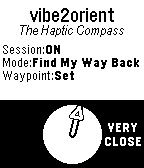
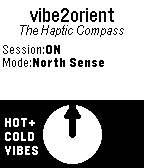
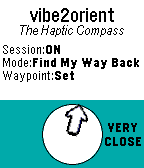
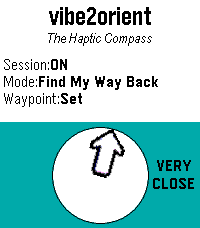
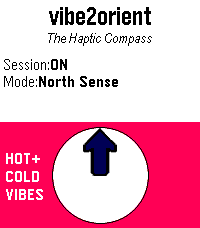
The answer is “yes, kind of” to your final question post edit: The arrow on screen will point you back to the GPS coordinates you previously had set with “Mark Waypoint”, but it’s using your connected phone’s GPS (the Pebble doesn’t have GPS, only a compass – so unlike “North Sense” mode which requires no phone, a phone connection is needed for “Find My Way Back” mode). Also, as you get close (within 50 meters) of the waypoint, “VERY CLOSE” will appear on the screen (except if it’s a round-faced Pebble).
A typical way to use this functionality: You set up your tent in a nice spot, mark a waypoint there so that you can go for a hike in the forest and find your way back. Also works in cities; mark a waypoint when you leave your hotel in an unfamiliar city to find your way back!
 Update alert!
 Ralph Baddour just released version 1.3 of vibe2orient!
Added support for “VERY CLOSE” text hint in ‘Find My Way Back’ mode for round-faced watch models.
 Update alert!