Pebble OwnTone Remote by ChillyDown
 There’s a new watchapp on the Rebble App Store!
Go check it out in the App Store!
There’s a new watchapp on the Rebble App Store!
Go check it out in the App Store!
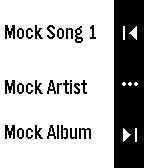
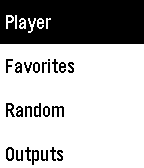
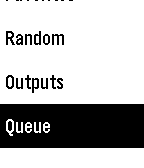
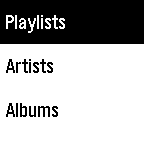
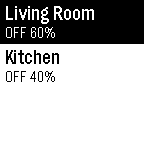
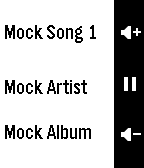
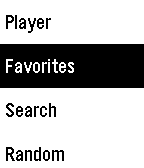
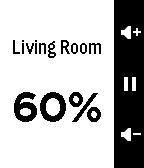
 Aplite screenshots:
 Basalt screenshots:
 Update alert!
 ChillyDown just released version 1.2 of Pebble OwnTone Remote!
Version 1.2 (2026-02-23)
- Fix crash on Aplite when scrolling the Random results list
So excited to have built and published an app!
 Update alert!
 ChillyDown just released version 1.3 of Pebble OwnTone Remote!
Version 1.3 (2026-02-24)
- Outputs: single-pressing an active speaker now opens volume controls directly, without changing its state
 Update alert!
 ChillyDown just released version 1.4 of Pebble OwnTone Remote!
Version 1.4 (2026-03-10)
- Raise max search/random results on Aplite from 4 to 8 (matching other platforms)
- Remove long-press shortcut to player window on Aplite (icons displayed incorrectly when accessed this way)
 Update alert!
 ChillyDown just released version 1.5 of Pebble OwnTone Remote!
v1.5 (2026-03-17)
- Player layout redesign: Dynamic text measurement using
text_layer_get_content_size()for accurate sizing- Text containers now sized exactly to rendered content height — no extra padding inside boxes
- Divider lines between track/artist/album
- Entire text block vertically centered on screen
- Overflow handling: album truncates first, then artist, then track
- Splash screen minimum display time halved (2000ms → 1000ms)
Update alert! ChillyDown just released version 1.6 of Pebble OwnTone Remote!
v1.6 (2026-03-17)
- Fix descender clipping on track/artist text (G, g, p, y no longer cut off)
Update alert! ChillyDown just released version 1.7 of Pebble OwnTone Remote!
v1.7 (2026-03-17)
- Fix player layout not reflowing correctly when track changes
 Update alert!
 ChillyDown just released version 1.8 of Pebble OwnTone Remote!
Version 1.8 (2026-03-20)
- Fix output volume window icons missing on Aplite: free outputs MenuLayer before volume window loads to stay within 24KB heap
- Free player window bitmaps when hidden on all platforms, reducing peak heap usage
Update alert! ChillyDown just released version 1.9 of Pebble OwnTone Remote!
Version 1.9 (2026-03-21)
- Fix radio streams in player window: show track title at the top and station name at the bottom
Update alert! ChillyDown just released version 1.10 of Pebble OwnTone Remote!
Version 1.10 (2026-04-04)
- App auto-close: after the player window closes, the app exits to the watchface if no buttons are pressed within a configurable timeout (default: 5 minutes)
- Resets on any button press in the main menu or outputs windows
- Configurable via the Battery Optimization section in settings
Update alert! ChillyDown just released version 1.11 of Pebble OwnTone Remote!
Version 1.11 (2026-04-09)
- Fix player action bar icons sometimes missing on Aplite (prev/next/play/pause/volume/ellipsis)
- Fix heap exhaustion on Aplite: MenuLayers in list windows (main menu, favorites, queue, random, results) now freed when hidden, preventing child windows from running out of memory
- Fix brief main menu flash on Basalt before the player window appears at startup
Update alert! ChillyDown just released version 1.12 of Pebble OwnTone Remote!
Version 1.12 (2026-04-11)
- Search: strip punctuation and normalize whitespace before querying the server, improving match quality
- Search: skip the API call and return empty results immediately if the cleaned query is empty
Update alert! ChillyDown just released version 1.13 of Pebble OwnTone Remote!
Version 1.13 (2026-04-15)
- Player: volume level displayed as a number in the center action bar slot when volume mode is active and UP or DOWN is pressed; updates on each press and disappears when volume mode times out (both Aplite and Basalt)
- Queue: fix current track appearing as the last item with no upcoming tracks on Aplite; now correctly shows up to 4 previous and 5 upcoming items on all platforms
- Memory: major internal refactor to reduce peak heap usage on all platforms — list-based windows (queue, results, outputs, random) now share a single reusable window layer instead of each owning a persistent MenuLayer, freeing significant RAM when navigating between screens; standalone splash window removed from Basalt (replaced by a brief logo overlay in the player screen)