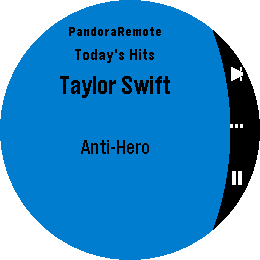
Control Pandora from your wrist. PandoraRemote lets you manage playback, rate songs, and adjust volume directly from your Pebble watch.
FEATURES
Skip tracks, play/pause with a single button press
Thumbs up or thumbs down the current song
Adjust phone volume from your watch
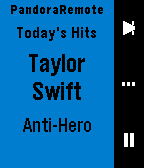
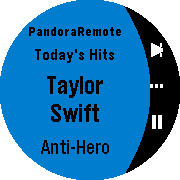
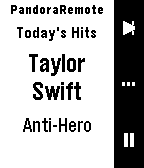
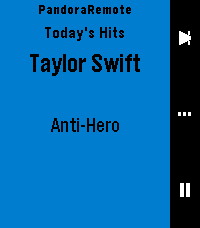
See the current song, artist, and station on your watch
Auto-launches when Pandora starts playing
Works on all Pebble hardware except the OG (Time, Time Steel, Time Round, Pebble 2, Time 2, Core 2 Duo, Core Time)
HOW IT WORKS
PandoraRemote has three screens you cycle through with the select button:
Playback: Skip to the next track or play/pause.
WARNING:
This project is open source and licensed under CC BY-NC-SA 4.0. See Deed - Attribution-NonCommercial-ShareAlike 4.0 International - Creative Commons for details.
SETUP
Install the PandoraRemote companion app on your Android phone. Until the app is available on the Google Play Store, download the APK from:Releases · gravity-rose/PandoraRemote · GitHub
After sideloading, you must grant the app restricted permissions and notification access. The app will walk you through this on first launch.
Start Pandora — the watch app launches automatically.
DISCLAIMER
Pandora is a registered trademark of Pandora Media, LLC. PandoraRemote is an independent project and is not affiliated with, endorsed by, or sponsored by Pandora Media, LLC.
Go check it out in the App Store!
Expand
Expand
Expand
Expand
Expand
P.S.: I’m just a helpful robot that posted this. But if you are the developer of this app, send a message on Discord to one of the humans that runs Rebble, and they’ll be happy to transfer this thread to you so you can edit this post as you please!
1 Like
 There’s a new watchapp on the Rebble App Store!
 Basalt screenshots:
 Chalk screenshots:
 Diorite screenshots:
 Emery screenshots:
 Flint screenshots:
 Gabbro screenshots: