Watchapp: Kagi News by James Downs

Kagi News

A feature-rich, Kagi News front-end for Pebble.
Read more specifically about Kagi News here
then-
Get the app on the Rebble App Store!

Kagi News for Pebble is focused on providing as close to a fully featured front-end experience for consuming the daily press summaries as possible.

  • Support for all categories and sections as official front-ends
  • Support for Pebble Time, Time Round, Pebble 2 (and Duo), and Pebble Time 2*
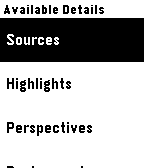
  • Context-aware source lists to continue reading on your phone
  • Font scaling support as available per-platform

With additional features always in the works to meet or exceed parity with the official front-ends

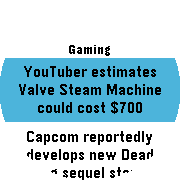
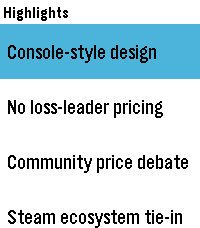
Screenshots

Credits

  • Kagi: Developing the Kagi News API, creating the original assets of Doggo and the News icon, and all else they do
  • Joe Citrine: For their work on PebbleKit.ts which I use extensively

Questions, feedback, or reports, reply below or open an issue on GitHub

4 Likes

This app is really cool! It’s simple and to the point, and the custom imagery fits so nicely with the style used on the watches.

2 Likes

:confetti_ball: Update alert!

:party: James Downs just released version 1.5 of Kagi News!

Go check it out!

Release notes

  • Add ability to change interface language
  • Add ability to change content language
  • Add ability to override font size in app settings
1 Like

With the update to support multiple languages, I’m now always happy to be provided with changes to my interface strings.

Any recommended changes can be based on the files on GitHub either here or in a PR!

1 Like

:confetti_ball: Update alert!

:party: James Downs just released version 1.6 of Kagi News!

Go check it out!

Release notes

  • Fixed a bug where detail data may not load for some languages
1 Like

Amazing app, I use it daily!

3 Likes

:confetti_ball: Update alert!

:party: James Downs just released version 1.7 of Kagi News!

Go check it out!

Release notes

  • Add option to enable Timeline Pins reminders for Kagi News refresh time
    • The pins include a “Week In History” story in the description
  • Update highlight colors to better match app theme
  • More reliably update the fonts on size changes
2 Likes

:heart: Update alert!

:party: James Downs just released version 1.8 of Kagi News!

Go check it out!

Release notes

  • Fix logic checking if Timeline Pins have already been pushed
1 Like

Works very well! Zero friction on first and every other usage.

2 Likes

:clap: Update alert!

:party: James Downs just released version 1.9 of Kagi News!

Go check it out!

Release notes

  • Mark stories as read when the summary page is interacted with
    • The text will become less bold to indicate read
  • Add developer settings to clear cache for Timeline pin memory and read stories
1 Like

To summarize the new changes that have gone in since this post originally went up:

  • Ability to set interface language and content language
  • Ability to override the font size in the app settings so you don’t have to follow the notification size setting from the system
  • Added Timeline pins as an opt-in feature to remind you when the Kagi News refresh time will be for the next couple days
    • This includes the addition of some of the “Today In History” stories that I put into the description of the pin to have it be a bit more interesting to have around on your Timeline
  • Updated the highlight colors on color Pebbles to the same orange used on the rest of the branding (which is a close analogy to Kagi’s orange)
  • Added marking stories as read when you interact with the summary page (scroll or open available details)
  • Added some new developer settings
    • You can clear the Timeline Pin memory, which is a feature that prevents the app from pushing Timeline Pins it has already pushed, even after you “Remove” them from the Timeline
    • You can clear the read stories memory

Overall, I am pretty happy with the state of things feature-wise. I think my major next features changes would end up being:

  • Today In History in the app instead of just on the Timeline Pins
  • Pulling categories from the API instead of having to hardcode them (today I have to push a new release to add categories)
    • I believe this will require me to stop using Clay, but it’s possible I can do something funky to Clay to push in dynamic data

But I think before I get to either of those the next steps I am going to be focusing on optimization. As I keep adding features I can feel the app getting slower and the code getting more confused in certain aspects over time. The performance issues are minor (I had to make someone record my watch in slomo so I could see that it is refreshing too slow) but they exist and will keep adding up. So for now, unless I have a change of heart, I think this is how it’ll be so I can focus on optimization for this app and work on some other apps I have planned. After I come out of that I plan to come back to keep up on this, because I use it every day and want it to work for me.

4 Likes

Nice app! Really like it so far. Appreciate the work you put into this.

2 Likes

:confetti_ball: Update alert!

:party: James Downs just released version 1.10 of Kagi News!

Go check it out!

Release notes

  • Update localization strings for category and section names
  • Optimize sending only necessary strings to the watch
  • Update category list from official source
  • Remove rarely/never generated core feed categories
2 Likes

:partying_face: Update alert!

:party: James Downs just released version 1.11 of Kagi News!

Go check it out!

Release notes

  • Add Japanese and Russian language support (additional language packs required)
1 Like

:clap: Update alert!

:party: James Downs just released version 1.12 of Kagi News!

Go check it out!

Release notes

  • Native build for Flint (Pebble 2 Duo)
  • Localized most “Loading” text
  • Simplified and updated dependencies around networking
1 Like

:tada: Update alert!

:party: James Downs just released version 1.13 of Kagi News!

Go check it out!

Release notes

  • Fix text decoding issues
1 Like

:clap: Update alert!

:party: James Downs just released version 1.14 of Kagi News!

Go check it out!

Release notes

  • Added support for the Kagi Small Web feed in addition to Kagi News! Enable it in the app configuration.
    • Kagi Small Web is a system for publishing content from “small web” blogs. Consider its inclusion minimal and in development, but working as much as the rest of the News feature!
  • Automatically select the only option in the details lists when only one is available (still preserves the back stack for continuity)
1 Like

:confetti_ball: Update alert!

:party: James Downs just released version 1.15 of Kagi News!

Go check it out!

Release notes

  • Fix height of multi-section headers in Pebble Time Round (Chalk)
1 Like

:confetti_ball: Update alert!

:party: James Downs just released version 1.16 of Kagi News!

Go check it out!

Release notes

  • Move Timeline pin for News refresh to 12PM UTC and hope that Kagi News actually refreshes on time
1 Like

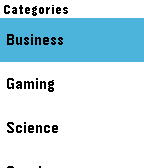
Had to do a couple quick updates after this, but I’ve been running Kagi Small Web as a hack on my local build of Kagi News for a while. I turned it into a full, albeit still hacky, feature and pushed it.

Kagi Small Web for the uninitiated is an effort by Kagi to community source and distribute updates to “small web” blogs and web pages via Search and the Kagi Small Web service which also serves an Atom feed. This feed is what is being shown in the app now when enabled and it leverages the same patterns as the rest of the News app to show the title, summary, and a QR code to continue reading on your phone.

Hopefully it’s of interest to others. I’ll work on other tangential feeds to News in the future (like Today In History which is basically already done but I don’t care enough about to look at) to continue distracting me from actually optimizing anything in this mess of code.

2 Likes