Iron by 1987haaa
 There’s another cool watchapp on the Rebble App Store!
Go check it out in the App Store!
There’s another cool watchapp on the Rebble App Store!
Go check it out in the App Store!
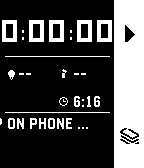
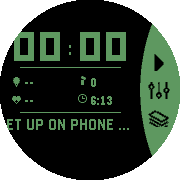
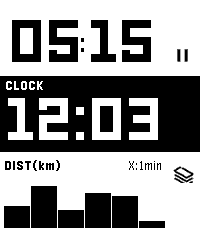
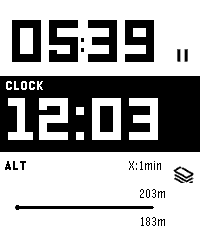
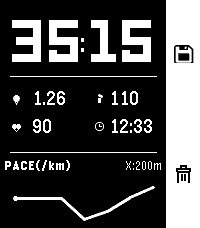
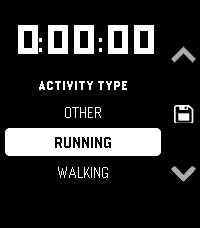
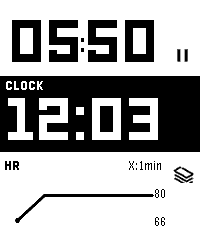
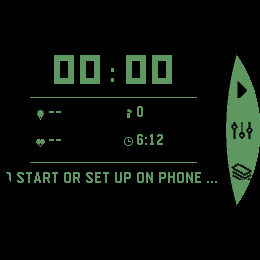
 Aplite screenshots:
 Basalt screenshots:
 Chalk screenshots:
 Diorite screenshots:
 Emery screenshots:
 Flint screenshots:
 Gabbro screenshots:
 Update alert!
1987haaa just released version 1.1.0 of Iron!
•
Auto Export: Automatically saves TCX/GPX files to your phone’s selected folders upon completion.
•
Smart HR Sampling: New Hybrid Modes support everything from 1s high-speed tracking to battery-saving “Burst Mode.”
•
Enhanced Data & UI: Added Cadence, Elevation Gain, and Clock to the display; reorganized Settings for a smoother experience.•
自動エクスポート対応: ワークアウト終了時に TCX/GPX をスマホの指定フォルダへ自動出力。
•
次世代心拍計測: 1秒単位の高速計測から、電池を長持ちさせる10秒間の「バースト計測」まで幅広く対応。
•
視認性と操作性の向上: ケイデンスや獲得標高など中段の表示項目を拡充し、設定画面もより使いやすく整理
 Update alert!
1987haaa just released version 1.2.0 of Iron!
v1.2.0 Release Notes
Internal Refactoring: Modular architecture updates in preparation for future feature expansions.
Performance & Memory: Optimized memory usage and improved UI responsiveness.
Multi-Platform Support: Enhanced overall stability across all Pebble models.v1.2.0 リリースノート
内部アーキテクチャの刷新: 将来の機能拡張(画面カスタマイズ等)に向けたモジュール最適化
パフォーマンス向上: メモリ効率の改善とUIレスポンスの向上
プラットフォーム最適化: 全機種(Aplite / Basalt / Chalk / Pebble 2 / Time 2)での安定性向上
 Update alert!
1987haaa just released version 1.3.0 of Iron!
【English】
v1.3.0 Changelog:
Added hierarchical BACK button navigation (safely exit menus back to the main screen).
Fixed an issue where distance auto-lap and time interval vibration alerts were not received.
Optimized communication and event handling with the companion phone app.
【日本語】
v1.3.0 アップデート情報:
戻るボタンの階層ナビゲーションに対応(設定画面から直前の画面へ安全に戻れるようになりました)
距離オートラップおよび時間インターバルのバイブレーション通知が届かない不具合を修正
スマホアプリとの通信イベント送信処理を最適化
 Update alert!
1987haaa just released version 1.3.1 of Iron!
[What’s New in v1.3.1]
- Enlarged font size for the selected workout type in Activity Picker for better readability.
- Internal optimization and preparation for upcoming feature updates.
【v1.3.1 更新内容】- ワークアウト種別選択画面で、選択中の文字サイズを大きくして見やすく改善しました。
- 今後の機能追加に向けた内部処理の最適化を行いました。
 Update alert!
1987haaa just released version 1.3.3 of Iron!
Iron for Pebble v1.3.3
- Event Protocol Unification:
Fully migrated to the pure AppEventID protocol for cleaner, faster, and more reliable watch-to-phone communication.- Button Handling Optimization:
Improved button event routing across various screens to enhance responsiveness and prevent unintended actions.- Internal Foundations for Future Features:
Enhanced bi-directional screen state synchronization, optimized graphics rendering buffers, and refined memory cleanup routines.Iron for Pebble v1.3.3
- 通信プロトコルの刷新:
ウォッチからスマホへの操作イベント送信を新プロトコル(純粋なイベント通知方式)へ完全一本化し、通信の応答性と安定性を向上させました。- 操作イベント処理の安定化:
各画面状態におけるボタン操作イベントの送信処理を最適化し、意図しない誤操作を防止しました。- 将来の機能追加に向けた内部基盤の改善:
画面状態の双方向通知ロジックの追加、グラフィック描画バッファの最適化、および画面遷移時のメモリ管理を強化しました。
Update alert! 1987haaa just released version 1.3.4 of Iron!
English
Touch & Swipe Optimization: Swipe gestures now transmit motion data directly to the Android app, improving responsiveness and control flexibility.
Startup Auto-Sync: The watchapp now automatically requests and syncs the latest workout status immediately upon launching.
Stability & Performance: Refined internal communication protocol and minor bug fixes for improved overall stability.
日本語
タッチ&スワイプ操作の最適化: スワイプ移動量をAndroid側へダイレクトに連携する構成に刷新し、操作レスポンスと柔軟性を向上。
起動時自動同期: ウォッチアプリ起動時に最新のワークアウト状態を自動で同期・復帰するよう改善。
安定性の向上: 内部通信プロトコルの最適化と軽微な不具合の修正。
Update alert! 1987haaa just released version 1.4.0 of Iron!
What’s New in v1.4.0:
- Added map snapshot display during workouts (color models recommended; monochrome models are supported but readability may vary).
- Added GPX Course Picker (COURSES) with watch-to-phone sync.
- Improved button responsiveness and reliability with an outbox retry queue.
- Cleaned up legacy swipe event handlers.
- Memory and performance optimizations across all Pebble platforms (including Aplite).
【v1.4.0 アップデート内容】
・ワークアウト中の周辺地図スナップショット表示に対応(※モノクロ機種でも表示可能ですが、視認性のためカラーモデルを推奨)
・時計から表示切替ができるGPXコース選択画面(COURSES)を新設
・ボタン操作の応答性向上と取りこぼし防止(リトライ処理を導入)
・旧式のスワイプイベント処理を削除し、操作体系を整理
・全機種(初代Aplite含む)向けのメモリ最適化と動作安定性の向上
Update alert! 1987haaa just released version 1.4.1 of Iron!
v1.4.1
• Optimized for Pebble Time Round displays
• Enlarged message font for better in-run visibility
• Added heart rate zone vibration & visual alerts
• Improved elapsed time layout for 1h+ workouts
・Pebble Time Round(丸型画面)への表示を最適化
・メッセージの文字サイズを拡大し、ランニング中の視認性を向上
・心拍ゾーンアラート(振動・画面通知)を追加
・1時間を超えるワークアウト時の経過時間表示レイアウトを調整
 Update alert!
1987haaa just released version 1.4.2 of Iron!
What’s New
Heart Rate Zone Alerts:
Get real-time feedback during your workouts with distinct vibrations and on-screen toast alerts (“HR IN ZONE”, “HR TOO HIGH!”, “HR TOO LOW!”).
Stay in your target training zone and pace yourself safely without glancing at your phone.
Performance & Memory Optimizations
Extensive UI & Memory Slimdown:
Streamlined the elapsed timer and graph rendering engines (Pace, Speed, Heart Rate, Elevation, Cadence, and Calories).
Greatly reduced runtime memory footprint and CPU overhead, ensuring smooth 1-second display updates and rock-solid stability during long endurance activities.
Notice for Pebble Classic / Steel (Aplite) Users
Stability Improvement (Map Feature Excluded):
To prevent out-of-memory crashes and ensure dependable tracking on classic monochrome hardware with tight memory limits, the map screen has been excluded on Pebble Classic / Steel (Aplite).
This guarantees a stable, crash-free experience for HR alerts and all core workout metrics on classic models.
(Map display remains fully available on Pebble Time series, Pebble 2, and other color platforms.)
心拍数ゾーンアラート機能の実装:
トレーニング中、現在の心拍数が目標ゾーンに入った時や、上限・下限を超えた際に、バイブレーションと画面表示(「HR IN ZONE」「HR TOO HIGH!」「HR TOO LOW!」) でリアルタイムに通知します。
スマホの画面を見ることなく、手元のウォッチだけで効率的・安全なペース配分が可能になります。
UI描画と内部メモリの徹底的なスリム化:
経過時間表示や各種グラフ(ペース、速度、心拍、標高、ケイデンス、カロリー)の描画ロジックを最適化。
メモリ消費と処理負荷を大幅に削減し、長時間のトラッキングでもカクつきのない滑らかな画面更新と高い安定性を実現しました。
安定動作のためのマップ機能の調整:
メモリ容量が極めて限られている初代モデル(Aplite)において、アプリの強制終了(クラッシュ)を防ぎ安定して動作させるため、初代モデルではマップ(地図)表示機能を非対応(オミット) といたしました。
これにより、初代機でもメモリ不足の心配なく、心拍アラートや各種スポーツ計測を安心してご利用いただけます。
※カラー液晶モデル(Pebble Timeシリーズ、Pebble 2等)では、引き続きマップ機能をご利用いただけます。
Update alert! 1987haaa just released version 1.4.3 of Iron!
Version 1.4.3:
- Distinctive HR Alert Vibrations: Added unique rhythmic patterns for heart rate zone alerts:
- Too High: A heavy, commanding march rhythm prompting you to pace down
- Too Low: A lively, upbeat rhythm encouraging you to pick up the pace
- Vibration Playback Lock: Ensures alerts play through smoothly without interruptions or overlapping.
- Reliable Map Rendering: Implemented full-chunk validation to completely prevent noise or flickering during map transfers.
- Stability improvements and null-safety guards.
バージョン 1.4.3 の更新内容:
・心拍アラート専用リズムバイブレーションの追加:
- 心拍数上限超過(TOO HIGH): ペースダウンを促す「重厚なマーチ風リズム」
- 心拍数下限未満(TOO LOW): ペースアップを促す「軽快なアップテンポリズム」
・バイブレーション演奏ロック:メロディ再生中に他の通知でブツ切り・重複再生されないよう制御を強化。
・地図描画の安定化:データが完全に届いてから描画する検証処理を追加し、転送中の砂嵐画面やチラつきを防止。
・全般的な安定性と安全性の向上。
Update alert! 1987haaa just released version 1.4.4 of Iron!
Release Notes:
What’s new in v1.4.4
- Added discard confirmation screen: Pressing DOWN (Trash) on the Save/Discard screen now shows a “DISCARD DATA?” confirmation prompt ([SELECT] Discard / [BACK] Cancel) to prevent accidental data loss.
- 1-hour+ workout display & stability fixes:
- Fixed an issue where elapsed times over 1 hour (H:mm:ss) could revert format when paused or viewing result/map screens.
- Eliminated marquee animation memory leaks and deferred flash storage writes to app exit, significantly improving long-workout stability.
v1.4.4 アップデート内容
・データ破棄時の確認画面を追加:ワークアウト終了後の保存/破棄選択画面で「破棄(DOWN)」を押した際、誤操作によるデータ消失を防ぐ確認画面(SELECTで破棄確定 / BACKでキャンセル)を追加しました。
・1時間以上のワークアウト表示と安定性の改善:
- 一時停止中・終了画面・リザルト画面・マップ画面でも1時間以上の経過時間(H:mm:ss)が正しく維持されるよう修正しました。
- マーキー(文字スクロール)アニメーションのメモリ解放漏れや定期フラッシュ書き込みを最適化し、長時間ワークアウト時の動作安定性を大幅に向上させました。
Update alert! 1987haaa just released version 1.4.5 of Iron!
Fixed missing Action Bar icons on Pebble Classic and Pebble Steel (aplite) by reducing RAM usage.
Optimized memory footprint across all platforms while maintaining 100% of features.
Extended heart rate alert display duration from 3.5s to 5.0s for better visibility during workouts.
General performance and stability improvements.
Pebble Classic / Steel (aplite) にてアクションバーのアイコンが表示されない不具合を修正(メモリ使用量を削減・最適化)
機能を一切損なうことなく全体のメモリ使用効率を改善
ワークアウト中の心拍アラートの表示時間を3.5秒から5.0秒に延長し、視認性を向上
全体的な安定性の向上
Update alert! 1987haaa just released version 1.4.6 of Iron!
[What’s New in Iron v1.4.6]
■ Real-time Microphone Waveform Visualizer
- When triggering the Digital Assistant via long-press, Iron now uses the Pebble Local Microphone Capture API to display an animated audio waveform at the bottom of the screen while listening.
- Gives you clear, instant visual feedback that your voice is being captured.
■ Map Stability & Artifact Fixes (No More “Snowstorm” Glitches)
- Fixed an issue where complex urban road networks could cause the map screen to display corrupted scanlines / static artifacts.
- Enforced strict 2-byte RLE alignment and packet synchronization to ensure bulletproof rendering.
- Expanded map memory buffer to 16KB on large-screen models (Pebble Time 2 / Pebble Round 2) to cleanly fit detailed city maps.
【Iron v1.4.6 の主なアップデート内容】
■ 音声アシスタント起動時のマイク波形ビジュアライザー表示
- ボタン長押しで音声アシスタント(Googleアシスタント)を起動した際、Pebbleの内蔵マイク(Local Microphone API)と連動し、画面下部にリアルタイムの音声波形アニメーションが描画されるようになりました。
- 音声を受け付け中であることが手元で直感的にわかります。
■ マップ表示の安定性大幅向上(市街地での砂嵐・描画乱れの根絶)
- 細道や交差点が密集する市街地で、マップ画面が砂嵐状に乱れてしまう問題を根本解決しました。
- データの偶数境界アライメント保証と新旧データ混在防止ガードを導入。
- 大画面モデル(Pebble Time 2 / Pebble Round 2)ではマップバッファを従来の2倍(16KB)に拡張し、高密度な市街地マップも確実に美しく描画されます。