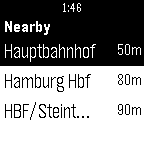
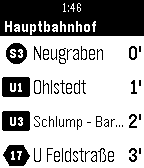
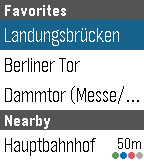
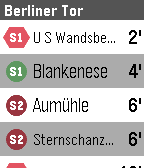
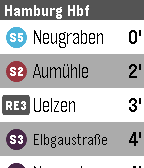
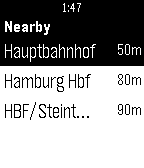
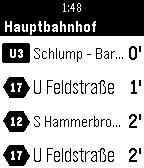
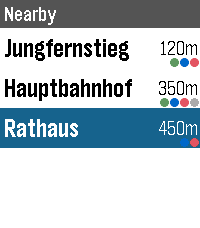
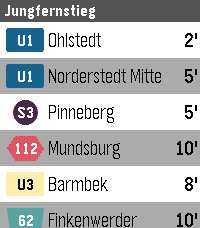
HVV Departures by ave
There’s a new watchapp on the Rebble App Store!
Go check it out in the App Store!
There’s a new watchapp on the Rebble App Store!
Go check it out in the App Store!
ave just released version 1.6.0 of HVV Departures!
Cache favorite stations on the pebble side so first load is instant
ave just released version 1.7 of HVV Departures!
New
- Cancelled departures are now shown struck through (red on color watches, black on B&W).
- Errors are shown on the watch. If fetching departures fails (offline, rate limited, service unavailable), the message appears in place of “Loading…”, or in the header when older departures are still on screen, until the next successful refresh.
Fixes
- Delays are now shown correctly. The app now asks HVV for delay and cancellation info, and delays are converted from seconds to minutes before being added to departure times.
- Fixed getting stuck on “Loading…” after tapping a station right after opening the app. Failed messages between watch and phone are now retried within seconds instead of waiting for the next 30-second refresh (or never recovering).
- Fixed the station list hanging on “Loading stops…” when the nearby lookup failed and no favorites were set.
- Fixed departures from a previously opened station briefly appearing under a newly selected one.
- Long station names (and names with umlauts) no longer get cut off in a way that broke departure lookups, and text is never cut through the middle of a character.
- Line badges are better centered on Pebble Time 2
- The departure list now closes after 15 minutes without scrolling, instead of 15 minutes after opening.
- Departure limits on Pebble Classic / Pebble 2 are capped at 15 so the list always fits in the watch’s message buffer (up to 30 on color watches).
- Fixed a memory leak each time a station’s departures were opened.
- Fewer duplicate network requests at app launch.
ave just released version 1.8.0 of HVV Departures!
New
- (Core Devices) Pebble Round 2 support.
- Touch navigation on touchscreen watches (Pebble Time 2 and Pebble Round 2): swipe to scroll and tap to select. It’s on by default and can be turned off in the app settings under Display.
- Bold departure text (new setting under Display, off by default) makes the departure directions bold, for easier reading. Available on Pebble Time 2 and Pebble Round 2.
Fixes
- Departures are now listed in the order they actually leave. Delayed services no longer stay above departures leaving sooner. This was a bug in v1.7 (released today).
Under the hood
- Built with (Core Devices) Pebble SDK 4.33.1.
- The settings page now uses Rebble’s maintained version of the Clay settings library, which supports the newer watches.