A Note by Fahrstuhl
 There’s another cool watchapp on the Rebble App Store!
Go check it out in the App Store!
There’s another cool watchapp on the Rebble App Store!
Go check it out in the App Store!
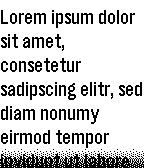
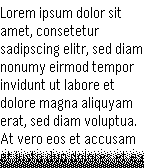
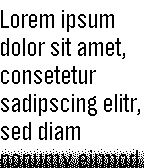
 Aplite screenshots:
 Basalt screenshots:
 Update alert!
 Fahrstuhl just released version 1.2 of A Note!
Use @rebble/clay for config and use updated Pebble SDK.
 Update alert!
 Fahrstuhl just released version 1.3 of A Note!
Fix long characters getting cut off.
 Update alert!
 Fahrstuhl just released version 1.5 of A Note!
Fix padding again after adding status bar
On my Pebble Time, each time I run the app on my watch, it wants me to re-enter a new note, even though I pressed Save in the Pebble app. I was pleasantly surprised to find out that I was able to do a copy from one of my Google Keep notes and paste into the A Note input box. It would be even better if I could share just one of my Keep notes with A Note.
Update alert! Fahrstuhl just released version 1.6 of A Note!
Fix loading existing note on startup
Add newer rectangular watches
Hi! You’re right, that was an issue. I only just saw this forum thread this evening, sorry for the 3 month delay. It’s fixed it in the newest version.
Great, works now in v1.6 on my PT. However, can you please use a Bold font for the smallest text?
When you go into the Settings to edit your note, the Note box should fill the whole Note area. And the Smaller font should be Bold.
Just saw that the text area I’m using is an extension of the Clay configuration package. Gotta figure out how to change the styling to fit the whole settings screen. I’ll try to look into it in May.
 Update alert!